You just typed a detailed prompt into an AI image generator. The result is close, but not quite right. The text is blurry, the layout ignores half your instructions, and the lighting looks flat.
Now imagine running that exact same prompt through a different model and getting something usable on the first try.
That is the gap between choosing the right model and choosing the popular one.
As of July 2026, two models keep showing up in every serious comparison: OpenAI's GPT Image 2 and Google's Nano Banana Pro. Both generate high-quality images. Both support text-to-image and image-to-image workflows. Both can produce output at up to 4K resolution.
But after running 200+ prompts through both models across different use cases — marketing creatives, book covers, product shots, character sheets, text-heavy posters, and photorealistic portraits — the differences are clear and consistent.
Here is what you will be able to decide after reading this article: which model to use for your specific workflow, when to switch between them, and why the "better" model depends entirely on the type of image you are making.
Quick Verdict: GPT Image 2 vs Nano Banana Pro
If you need one sentence: GPT Image 2 is the better creative director; Nano Banana Pro is the better production engine.
Choose GPT Image 2 when:
- Your prompt has complex instructions (layout, text, multiple elements)
- You need readable text inside the image
- You are creating posters, thumbnails, infographics, or UI mockups
- The image must communicate a specific idea, not just look beautiful
Choose Nano Banana Pro when:
- You need premium photorealism and natural lighting
- Speed matters and you are generating high volumes
- You are creating product photography, portraits, or lifestyle imagery
- You need native 4K output without aspect-ratio restrictions
- You are using multiple reference images to guide the output
For most creators, marketers, and founders, the best workflow is not choosing one model. It is routing each task to the right model. And on aigptimage.com, you can switch between GPT Image 2 and Nano Banana Pro with one click, using the same prompt, to see the difference yourself.
What Criteria Actually Matter?
Before diving into the details, here are the seven areas where GPT Image 2 and Nano Banana Pro differ most. These are the criteria that affect real workflows, not benchmarks that look impressive in a blog post but mean nothing when you are on deadline.
- Prompt understanding — How well does the model follow complex, multi-part instructions?
- Image quality and style — What does the default output actually look like?
- Text rendering — Can it produce readable words inside an image?
- Image editing — How well does it handle image-to-image transformations?
- Resolution and output options — What sizes and formats are available?
- Speed — How fast is generation from prompt to result?
- Credits and cost efficiency — What does each generation actually cost?
Let's break down each one.
How Well Does Each Model Understand Your Prompt?
This is the single biggest differentiator, and it is not close.
GPT Image 2 is a reasoning-first model. When you write a prompt like "A split-screen comparison poster, dark blue gradient background, GPT Image 2 logo on the left and Nano Banana Pro logo on the right, large white VS text in the center, tech-inspired lighting, clean modern typography," GPT Image 2 parses every element and tries to place each one where you described it.
Nano Banana Pro is an aesthetics-first model. Given the same prompt, it will produce a visually polished result, but it may prioritize looking good over strictly following every placement instruction. The VS text might shift, the logos might merge into a general tech aesthetic, or the split-screen layout might become a gradient blend.
Neither approach is wrong. They serve different purposes.
When prompt precision matters — marketing assets, infographics, structured layouts — GPT Image 2 is the safer bet.
When visual quality matters more than strict layout — lifestyle imagery, mood boards, artistic concepts — Nano Banana Pro often produces more naturally beautiful results.
Here is a practical test: take any prompt with five or more specific requirements and run it through both models. Count how many requirements each model gets right. GPT Image 2 consistently scores higher on compliance. Nano Banana Pro consistently scores higher on "would I actually use this image as-is?"
Image Quality: Structured vs. Cinematic
Both models produce excellent images. But the default "feel" of each output is noticeably different.
GPT Image 2 images tend to look more intentionally composed. The model treats each image like a design brief. Elements are placed with purpose, whitespace is controlled, and the overall composition feels like someone thought about visual hierarchy. This makes GPT Image 2 images great for anything that needs to communicate information — ads, social posts with text overlays, educational graphics, presentation slides.
Nano Banana Pro images tend to look more photographically natural. Skin tones are warmer, lighting behaves more like real-world light, and textures have more depth. The model excels at producing images that could pass for professional photography. This makes Nano Banana Pro the stronger choice for product shots, fashion imagery, real estate visuals, and any context where "this looks like a photo" matters more than "this looks like a designed graphic."
Technical Depth: How the Models Handle Dynamic Range
One area where the difference becomes measurable is dynamic range. When you prompt a scene with extreme contrast — a sunset behind a silhouette, a neon sign in a dark alley, a candle-lit portrait — Nano Banana Pro tends to preserve highlight detail better and produce smoother shadow gradients. This is likely a result of Google's training emphasis on photographic realism.
GPT Image 2 handles the same scenes competently, but it sometimes clips highlights or flattens shadow detail in favor of making the key subject more visible. For information-rich images, that is actually a useful behavior. For artistic photography, it can feel limiting.
Text Rendering: Where GPT Image 2 Pulls Ahead
If your workflow involves text inside images, GPT Image 2 is the clear winner. This is not a marginal difference — it is a category advantage.
GPT Image 2 can reliably render:
- Headlines with 3-6 words at large sizes
- Product labels with brand names and short descriptions
- UI mockup text (menu items, button labels, navigation)
- Infographic data labels and chart legends
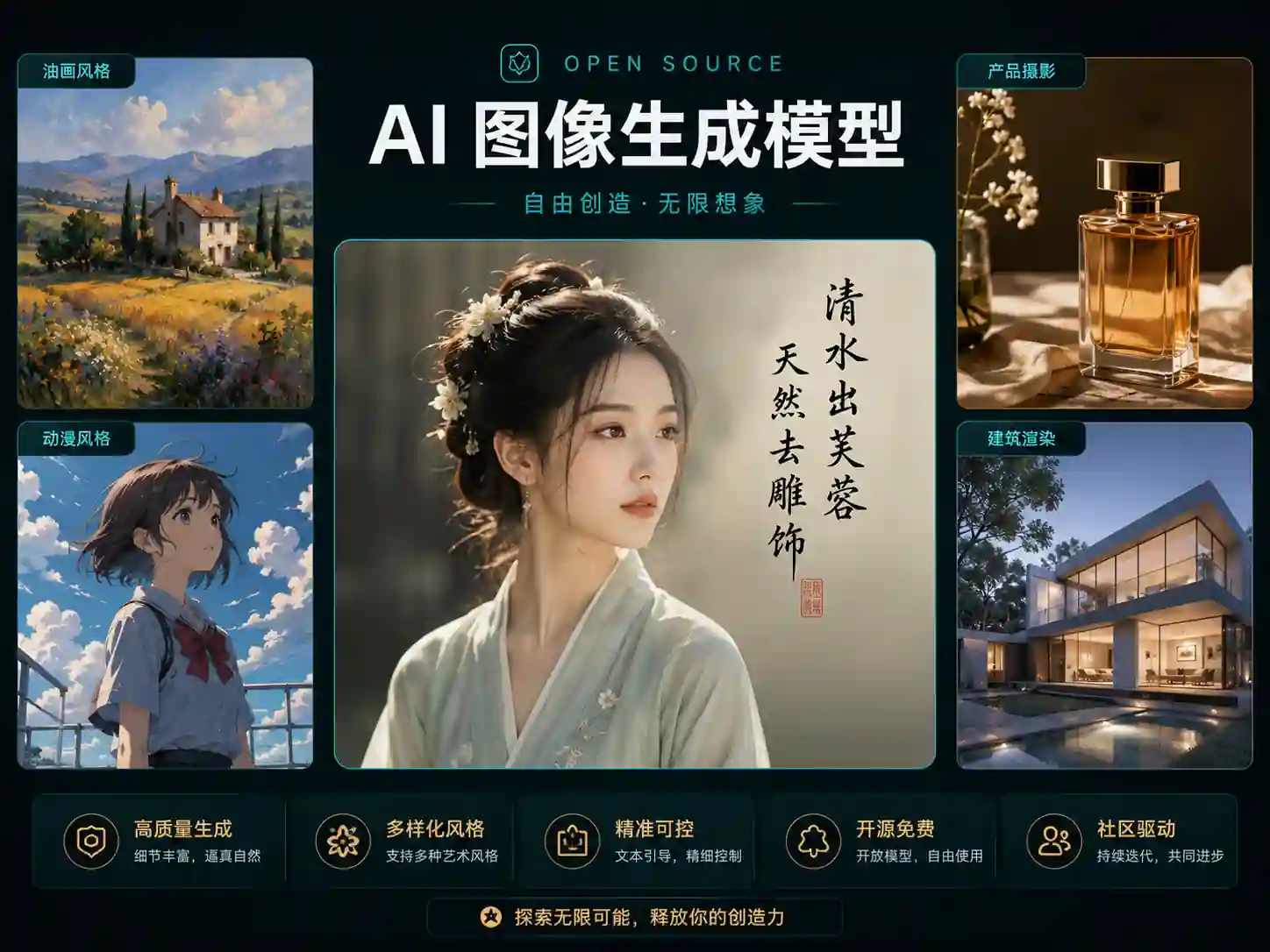
- Multilingual text including CJK characters, Arabic, and Cyrillic
- Book cover titles and author names
Nano Banana Pro can produce text, but accuracy drops noticeably when the text is longer than 2-3 words, when multiple text elements appear in the same image, or when the text needs precise placement.
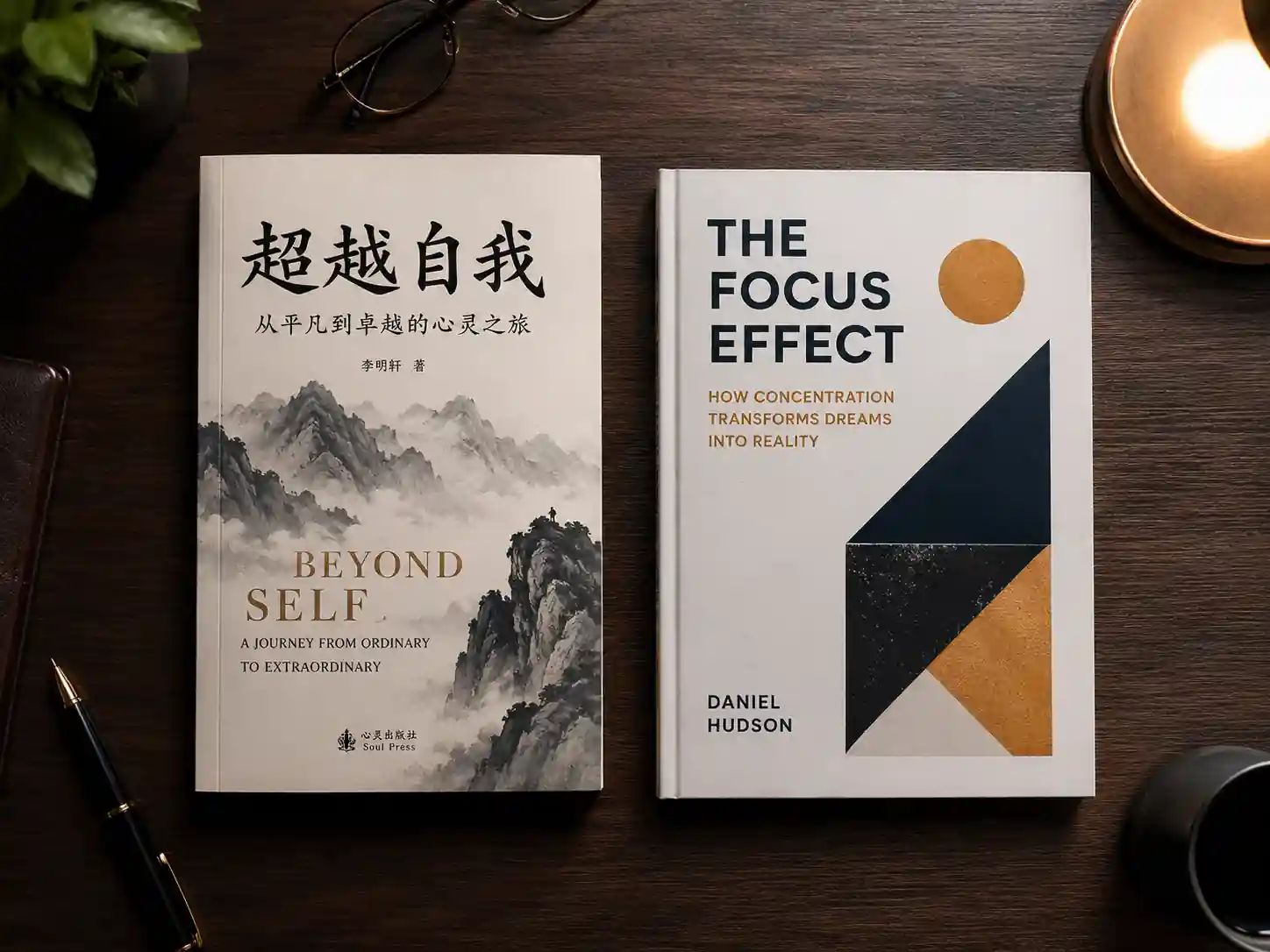
What is better at designing book covers — GPT Image 2 or Nano Banana Pro? This is one of the most searched questions in this comparison, and the answer is clear: GPT Image 2. Book covers require a title, author name, and sometimes a subtitle — all rendered cleanly and placed intentionally. GPT Image 2 handles this with near-perfect accuracy. Nano Banana Pro may produce a more cinematic background scene, but the text will often need to be added separately in a design tool.
The practical implication: if your image needs zero text, this advantage does not matter. If your image needs readable words, start with GPT Image 2.
Image Editing: Reference Handling vs. Instruction Following
Both models support image-to-image workflows, but they approach editing differently.
GPT Image 2 treats image editing as an instruction-following task. You upload a reference image and describe the changes in natural language: "Keep the same person and pose, but change the background to a mountain lake at sunset and make the outfit a red hiking jacket." The model reasons about what to preserve and what to change.
Nano Banana Pro treats image editing as a style-transfer and transformation task. It accepts up to 8 reference images simultaneously — a capability GPT Image 2 does not match. This makes Nano Banana Pro powerful for workflows where you want to blend elements from multiple sources, create variations across a product line, or apply a consistent style to a batch of images.
Technical Depth: Multi-Reference Composition
Nano Banana Pro's 8-image reference slot is not just a number. It enables workflows that are fundamentally different from single-reference editing:
- Upload a product photo, a background scene, a lighting reference, and a color palette image, then prompt the model to combine them into a cohesive product shot.
- Upload 4-6 images of the same character from different angles and generate new poses that maintain consistency.
- Upload a series of brand assets and generate new marketing materials that match the established visual language.
This multi-reference capability is where Nano Banana Pro becomes genuinely hard to replace. GPT Image 2's editing is more precise for single-image modifications, but Nano Banana Pro's multi-reference system opens up production workflows that GPT Image 2 simply cannot do.
Resolution, Speed, and Output Options
Here is where the technical specs matter.
| Specification |
GPT Image 2 |
Nano Banana Pro |
| Max resolution |
4K |
4K |
| Resolutions available |
1K, 2K, 4K |
1K, 2K, 4K |
| Aspect ratios |
11 options + auto |
11 options + auto |
| 4K at 1:1 |
Not supported |
Supported |
| Auto aspect ratio resolution |
1K only |
All resolutions |
| Reference images |
1 |
Up to 8 |
| Prompt length limit |
Standard |
20,000 characters |
| Text-to-image |
Yes |
Yes |
| Image-to-image |
Yes |
Yes |
| Output format |
PNG |
PNG |
The resolution restrictions on GPT Image 2 are worth noting. If you need 4K output at a 1:1 square aspect ratio, GPT Image 2 cannot do it — you are limited to 1K or 2K. Nano Banana Pro has no such restriction: every aspect ratio works at every resolution.
For speed, both models generate 1K images in under 3 seconds under normal load. At 4K, generation takes slightly longer for both, but neither feels slow enough to disrupt a workflow. The practical speed difference between the two is minimal for single-image generation.
Credits and Cost: Price Per Usable Image
On aigptimage.com, both models use a credit system. Here is the comparison:
| Resolution |
GPT Image 2 Credits |
Nano Banana Pro Credits |
| 1K |
3 |
8 |
| 2K |
5 |
10 |
| 4K |
8 |
14 |
GPT Image 2 is significantly cheaper per generation — roughly 40-60% less depending on resolution.
But raw cost per generation is not the right metric. The metric that matters is cost per usable image.
If GPT Image 2 gives you a usable result on the first or second try for a text-heavy marketing poster, it might cost you 3-6 credits. If Nano Banana Pro takes 4-5 tries because the text keeps rendering incorrectly, that is 32-40 credits for the same task.
Conversely, if you need a photorealistic product shot and Nano Banana Pro nails it in one try at 8 credits, while GPT Image 2 takes three attempts because the lighting feels synthetic, that is 9 credits vs. 8 — and the Nano Banana Pro result is probably better.
The rule of thumb: use the model that matches the task, and the per-usable-image cost will take care of itself.
Head-to-Head: GPT Image 2 vs Nano Banana Pro by Use Case
| Use Case |
Better Model |
Why |
| YouTube thumbnails |
GPT Image 2 |
Text rendering + layout control |
| Product photography |
Nano Banana Pro |
Photorealism + lighting |
| Book covers |
GPT Image 2 |
Title/author text accuracy |
| Fashion imagery |
Nano Banana Pro |
Natural skin tones + textures |
| Infographics |
GPT Image 2 |
Data labels + structured layout |
| Social media lifestyle posts |
Nano Banana Pro |
Cinematic, shareable aesthetic |
| Marketing posters |
GPT Image 2 |
Headline text + visual hierarchy |
| Real estate listings |
Nano Banana Pro |
Photorealistic interior/exterior |
| Character concept sheets |
GPT Image 2 |
Instruction following for multi-pose |
| Brand mood boards |
Nano Banana Pro |
Multi-reference blending |
| UI/app mockups |
GPT Image 2 |
Button labels + interface text |
| E-commerce product variants |
Nano Banana Pro |
Multi-reference + fast iterations |
Is GPT Image 2 Better Than Nano Banana Pro?
This is the most common way people phrase the question, so let me answer it directly: it depends on the job.
GPT Image 2 is better when the image needs to be smart — when it needs to follow instructions precisely, render text correctly, and compose elements according to a specific layout.
Nano Banana Pro is better when the image needs to be beautiful — when photorealism, natural lighting, texture quality, and cinematic style matter more than instruction compliance.
Neither model is universally better. A photographer will prefer Nano Banana Pro. A content marketer will prefer GPT Image 2. A product designer might use both in the same afternoon.
The GPT Image 2.0 vs Nano Banana Pro debate is not about which model is superior. It is about which model fits the specific task you are working on right now.
The Smart Workflow: Use Both
The most productive approach is not picking one model and committing to it. It is building a routing habit:
- Text in the image? Start with GPT Image 2.
- Photorealistic output needed? Start with Nano Banana Pro.
- Complex layout with multiple elements? GPT Image 2.
- Multiple reference images to blend? Nano Banana Pro.
- Not sure? Run the same prompt through both. It takes 10 seconds to switch models on aigptimage.com, and the comparison will teach you more than any article can.
This dual-model workflow is exactly why platforms that offer multiple models in one workspace are more practical than single-model tools. You stop arguing about which model is "best" and start matching models to tasks.
Frequently Asked Questions
Is GPT Image 2 better than Nano Banana Pro for text-heavy images?
Yes. GPT Image 2 handles text rendering more accurately, especially for headlines, labels, multilingual text, and images where words are a core part of the design. If your image includes important readable text, GPT Image 2 is the safer choice.
Can Nano Banana Pro generate 4K images at any aspect ratio?
Yes. Nano Banana Pro supports 4K output across all available aspect ratios, including 1:1. GPT Image 2 has some restrictions — for example, 1:1 is limited to 1K or 2K, and auto aspect ratio only supports 1K.
Which model is faster — GPT Image 2 or Nano Banana Pro?
Both generate 1K images in under 3 seconds. For practical purposes, the speed difference between the two is not significant enough to be a deciding factor. Choose based on output quality for your use case, not generation speed.
What is better at designing book covers — GPT Image 2 or Nano Banana Pro?
GPT Image 2. Book covers require accurate title rendering, author name placement, and sometimes subtitle text. GPT Image 2 handles all of these reliably. Nano Banana Pro may create a more atmospheric background, but you will likely need to add text separately.
Yes. On aigptimage.com, both models are available in the same workspace. You can switch between them with one click and run the same prompt through both to compare results side by side.
Which model costs more credits?
Nano Banana Pro costs more per generation — 8 credits at 1K vs. 3 credits for GPT Image 2 at the same resolution. But the real cost depends on how many attempts you need. Use the model that gets you a usable result faster and your effective cost will be lower.
Does Nano Banana Pro support multiple reference images?
Yes. Nano Banana Pro accepts up to 8 reference images in a single generation, which enables multi-reference composition workflows like blending product photos with background scenes, maintaining character consistency across angles, and applying visual styles from reference materials. GPT Image 2 supports single-image editing.
Which model should I choose if I am just starting with AI image generation?
Start with GPT Image 2. Its stronger instruction following means your prompts are more likely to produce what you intended, even if your prompt writing skills are still developing. As you build a feel for what works, add Nano Banana Pro to your workflow for photorealistic and production-quality tasks.
Try Both Models and Compare
The best way to settle the GPT Image 2 vs Nano Banana Pro question for your workflow is to test them yourself. Pick a prompt that represents your actual use case — not a generic "a cat in space" test, but a real task you would pay money for.
Run it through GPT Image 2 first. Then switch to Nano Banana Pro and run the same prompt. Compare the results.
You will see the difference in seconds. And you will know which model belongs in your workflow — or, more likely, you will realize you need both.