






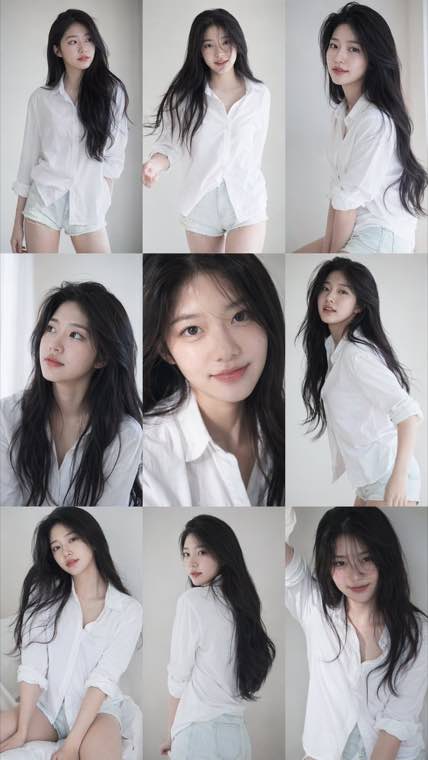
A consistent nine-frame portrait series with soft photobook lighting and natural texture.
Seedream 5.0 AI Photo Generator & Editor — Create and Edit Photorealistic Images Online
Create photorealistic images from text prompts using Seedream 5.0 — ByteDance's most capable AI image model. Choose between Seedream 5.0 for maximum quality or Seedream 5.0 Lite for faster iteration.
Seedream 5.0 & Lite available • Photorealistic output • Precise text rendering

What is Seedream 5.0?
Seedream 5.0 is ByteDance's latest AI image generation model, designed to produce photorealistic visuals, handle complex compositions, and render in-image text with exceptional accuracy. Released in early 2026, it represents a major leap from Seedream 4.5 and stands as one of the top-tier image models for professional creative work. The Seedream 5.0 Lite variant offers a faster path for rapid iteration and high-volume workflows without sacrificing overall visual quality.
What Seedream 5.0 Can Create
From photorealistic portraits to architecture renders — explore what this model does best
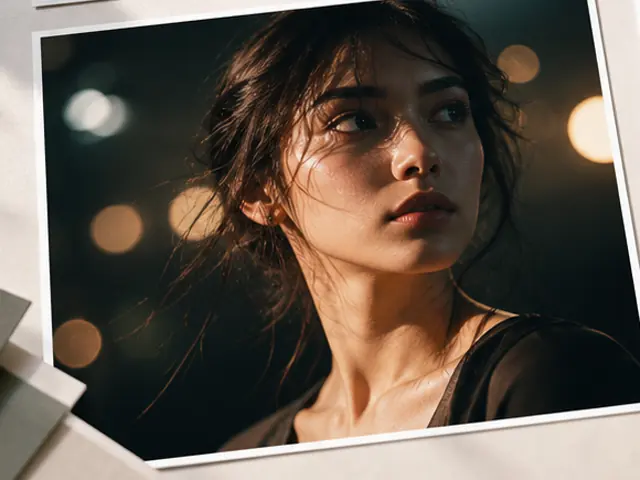
- Natural skin tone and facial detail accuracy
- Supports a wide range of ages, ethnicities, and expressions
- Handles studio, outdoor, and cinematic lighting conditions
- Strong prompt-following for consistent character styles
Who Uses Seedream 5.0?
From designers and photographers to developers and content teams

Designers & Art Directors
Generate concept art, mood boards, and production-ready visuals faster. Seedream 5.0's strong prompt-following makes it easy to steer toward a specific aesthetic without multiple manual revisions.

Photographers & Retouchers
Extend creative workflows beyond the camera — generate background scenes, composite reference images, or explore lighting setups digitally before a shoot.

E-commerce & Brand Teams
Replace costly product shoots with AI-generated product photography. Use Seedream 5.0 to produce consistent, high-quality product visuals for listings, ads, and social media at scale.

Architects & Interior Designers
Produce architecture visualization and interior renders from text descriptions. Seedream 5.0 handles spatial accuracy and material detail well enough for client presentations and design exploration.

Developers & AI Engineers
Integrate Seedream 5.0 via API for automated image generation pipelines, content platforms, and AI-powered products. The Seedream 5.0 Lite API is cost-effective for high-volume integration.

Marketing & Content Teams
Generate campaign imagery, social media visuals, blog headers, and ad creatives quickly. Seedream 5.0's text rendering capability makes it practical for producing branded assets where copy appears inside the image.
Why Use Seedream 5.0 for AI Image Generation?
Key reasons professionals are choosing Seedream 5.0 over other models
Top-Tier Photorealism
Seedream 5.0 produces images with fine detail, natural lighting, and accurate proportions that rival production-grade photography. The model handles complex scenes without common artifacts.
Accurate Text in Images
Where most models struggle with legible in-image text, Seedream 5.0 renders readable words, signs, and labels accurately — making it practical for poster design, branded visuals, and ad creatives.
Fast Generation with Seedream 5.0 Lite
Seedream 5.0 Lite is available now and optimized for fast generation so you can iterate on ideas and refine your creative direction without waiting.
Strong Prompt Following
Seedream 5.0 interprets detailed prompts accurately, allowing precise control over composition, style, mood, and subject. Less time correcting outputs, more time creating.
Versatile Style Range
From photorealistic to cinematic, architectural to illustrative — Seedream 5.0 covers a broad visual range within a single model, reducing the need to switch between specialized tools.
Production-Ready Quality
Output from Seedream 5.0 is suitable for commercial use cases including e-commerce, advertising, and client-facing presentations — not just quick drafts or concepts.
How to Use Seedream 5.0
Generate your first image in 4 steps
Sign In and Choose Your Model
Sign in to access the generator. Select Seedream 5.0 for maximum quality or Seedream 5.0 Lite for faster generation speed.
Set Output Options
Configure aspect ratio, resolution, and any style settings before generating.
Write a Detailed Prompt
Describe your image with subject, style, lighting, and mood. Seedream 5.0 responds well to photographic and cinematic language — the more specific, the better the result.
Generate and Download
Generate your image, review the result, and refine your prompt if needed. Download the final image when you're satisfied.
Frequently Asked Questions about Seedream 5.0
Common questions about Seedream 5.0, Seedream 5.0 Lite, prompts, pricing, and how this model compares
Ready to Create with Seedream 5.0?
Generate photorealistic images from text prompts.