What Is GPT Image 2? The Complete Guide for AI Creators in 2026
I remember the first time I tried to generate an image with accurate text in it. The letters were always scrambled — a coffee shop sign that said "C0ff33" instead of "Coffee," a book cover with gibberish where the title should be. It was frustrating because I knew AI image generation had come a long way, but that one missing piece — readable text — made so many practical use cases impossible.
Then OpenAI released GPT Image 2, and everything changed.
This isn't just another incremental update. GPT Image 2 represents a fundamental shift in what AI image generation can do. It combines state-of-the-art text rendering, precise prompt adherence, multi-turn editing, and image variation in a single model. If you're a creator, designer, marketer, or entrepreneur who's been waiting for AI image tools to actually be useful for real work, this is the model that changes the game.
In this guide, I'll walk you through exactly what GPT Image 2 is, what it can do, how it compares to other AI image models, and how you can start using it today.
TL;DR
- GPT Image 2 is OpenAI's latest image generation model, succeeding DALL-E 3 with dramatically improved text rendering, prompt adherence, and editing capabilities.
- It excels at text rendering — generating images with readable, accurate text inside them, which was a major weakness of previous models.
- Multi-turn editing lets you refine images conversationally, making it ideal for iterative creative work.
- Integrated with ChatGPT — no separate tool or interface needed if you have a ChatGPT Plus, Pro, or Team subscription.
- Best for: marketers creating social media graphics, designers needing mockups, content creators making thumbnails and covers, and anyone who needs AI images with accurate text.
- Pricing: Available through ChatGPT subscriptions (Plus: ~$20/month, Pro: ~$200/month, Team: ~$25/user/month) and via OpenAI API.
What Is GPT Image 2?
GPT Image 2 is OpenAI's native image generation model, released in early 2025. Unlike third-party integrations or external tools, GPT Image 2 is built directly into the ChatGPT experience, meaning you can generate, edit, and iterate on images using natural language conversation — no separate image editor required.
The model represents a major leap from its predecessor, DALL-E 3, in several key areas:
- Text rendering: It can generate images with accurate, stylized text — think posters, book covers, signs, menus, and branded graphics — without the garbled characters that plagued earlier models.
- Prompt understanding: It follows complex, multi-part prompts with much higher fidelity, understanding spatial relationships, specific styles, and nuanced instructions.
- Multi-turn editing: You can refine images conversationally — "make the background warmer," "change the font to serif," "move the product to the left" — and the model remembers the context.
- Image variation: It can generate multiple variations of the same concept, helping you explore creative directions quickly.
For creators who have been using Midjourney, Stable Diffusion, or older DALL-E models, GPT Image 2 closes the gap on several critical fronts — especially around practical, production-ready output.
Why Is GPT Image 2 Getting So Much Attention?
The AI image generation space has been incredibly competitive over the past two years. Midjourney has dominated the artistic quality conversation. Flux has pushed photorealistic boundaries. Ideogram made early strides in text rendering. Stable Diffusion has been the open-source favorite.
But GPT Image 2 has captured attention for a specific reason: it solves the text rendering problem while maintaining high image quality, and it's integrated directly into ChatGPT.
Here's why that matters:
1. Text rendering that actually works. For the first time, I can generate a social media graphic with the headline text baked into the image, and it comes out correct on the first try. No more adding text in Canva or Photoshop afterward.
2. Conversational editing workflow. The ability to iterate on an image through natural conversation is genuinely transformative. I've used it to design book covers, refine product mockups, and create consistent brand assets — all without leaving ChatGPT.
3. Multi-modal integration. Since GPT Image 2 is part of the larger GPT ecosystem, it understands context from uploaded images, documents, and previous conversations. You can upload a reference image and say "make something in this style but with different colors."
4. Commercial usability. OpenAI's usage policies allow commercial use of generated images for ChatGPT Plus, Pro, and Team subscribers, making it viable for real business applications.
Key Features of GPT Image 2
Let me break down the features that make GPT Image 2 stand out — based on my experience testing it across dozens of use cases.
1. Advanced Text Rendering
This is the headline feature. GPT Image 2 can generate images with readable, accurately spelled text in multiple styles and fonts. Whether it's a handwritten-style quote card, a bold headline on a magazine cover, or small text on a product label, the model handles it with surprising reliability.
I tested this by asking it to create a "coffee shop menu board with 8 drink items and prices" — and it delivered a readable, well-formatted menu on the first attempt. Previous models would have turned "Latte — $4.50" into "L@tte — $4.5O" or something equally frustrating.
2. Multi-Turn Editing
GPT Image 2 supports iterative editing through natural language. Here's a typical workflow I've used:
- "Create a hero image for a tech blog — a glowing circuit board background with 'AI Revolution' in bold text."
- "Make the background darker, and change the text color to neon green."
- "Add a subtle grid pattern to the background."
- "Now create 3 variations with slightly different text positions."
Each turn preserves the image state and applies the new instruction. It's like having an in-house designer who actually listens.
3. Prompt Adherence and Composition
The model handles complex prompts with multiple elements, spatial descriptions, and style specifications much better than DALL-E 3. For example:
"A photorealistic overhead shot of a wooden dining table with a steaming cup of coffee on the left, a croissant on a small plate in the center, and a smartphone showing a weather app on the right. Morning sunlight from a window on the left. Warm tones."
GPT Image 2 handles this kind of detailed scene composition reliably, understanding where each element should be placed.
4. Style Control
From photorealism to vector art to watercolor to 3D render, GPT Image 2 handles a wide range of styles. It's particularly strong at:
- Photorealistic product shots
- Flat vector illustrations
- Cinematic stills
- Minimalist UI mockups
- Typography-focused designs
5. Image-to-Image Capabilities
You can upload an existing image and ask the model to:
- Modify it ("change the color palette to pastels")
- Extend it ("expand the canvas to the right and add more scenery")
- Restyle it ("turn this photo into a watercolor painting")
- Build on it ("create a series of images in this same style")
What Can You Create with GPT Image 2?
Here are some of the most practical applications I've found:
Social Media Graphics
Generate Instagram posts, LinkedIn banners, Twitter headers, and Pinterest pins — all with readable text baked in. No more exporting images to add text separately.
Marketing and Ad Creative
Product mockups, landing page hero images, email newsletter headers, and display ad variations. The multi-turn editing makes it easy to iterate on ad creative quickly.
Book Covers and Ebook Graphics
Book covers, ebook thumbnails, Kindle images, and promotional graphics. The text rendering capability means your cover titles actually look professional.
Brand Assets
Brand mood boards, logo concepts (as a starting point), color palette explorations, and style guides. Not a replacement for professional branding, but excellent for rapid exploration.
Content Thumbnails
YouTube thumbnails, blog post featured images, video cover frames. The text rendering makes it possible to generate thumbnails with headlines baked in.
Educational and Training Materials
Infographics, diagram illustrations, presentation slides, and teaching aids. The model's ability to combine text and visuals coherently makes it useful for educational content.
GPT Image 2 Prompt Examples
One of the best ways to understand what GPT Image 2 can do is to see real prompts that work. Below are three examples from our curated prompt library, each demonstrating a different capability.
Example 1: Streetwear Campaign with Multi-Layer Text and Branding
This prompt generates a full streetwear ad with product placement, model, and multiple text elements — brand names, slogans, and social handles:
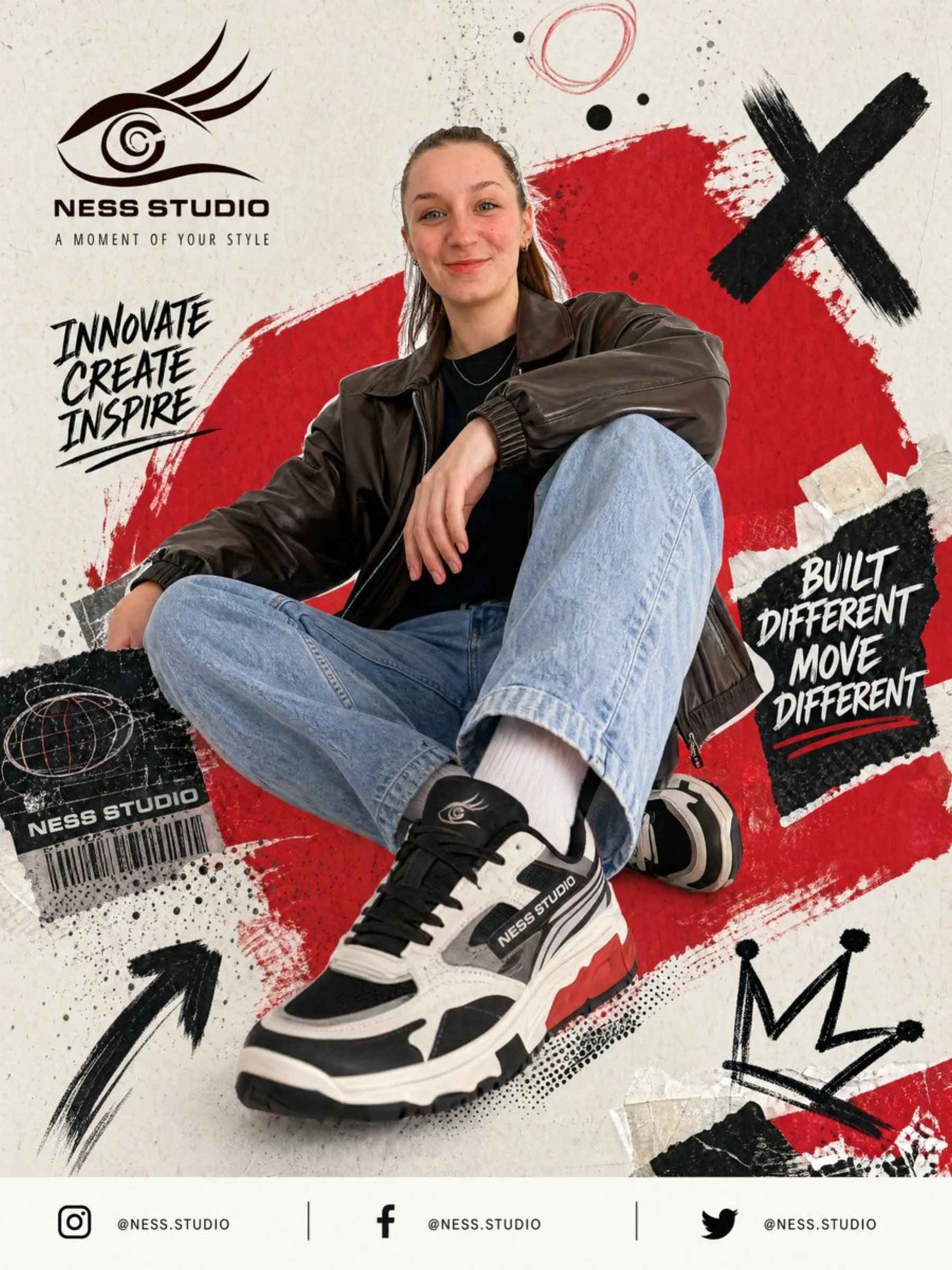
Create a bold streetwear poster advertisement for "NESS STUDIO" featuring a
young adult model seated on the ground in a low-angle fashion pose, one leg
extended toward the camera so the sneaker appears oversized. Chunky black-
white-gray sneakers with the brand logo visible on the shoe side and tongue.
The face is obscured by a soft blur. On the upper left: brand text "NESS STUDIO"
with tagline "A MOMENT OF YOUR STYLE". Handwritten slogan on the left:
"INNOVATE CREATE INSPIRE" in black brush lettering. Torn black patch on the
right: "BUILT DIFFERENT MOVE DIFFERENT". Lower left: label sticker with brand
name and barcode. Bottom footer: 3 social media icons with "@NESS.STUDIO".
Edgy urban editorial style, mixing product photography with graffiti poster
design, collage textures, and dynamic branding.
What this shows: GPT Image 2 handles five different text elements in a single image — brand logo on product, headline tagline, brush lettering slogan, distress label, and social media handles — all with correct spelling and positioning. Previous AI models would have scrambled at least half of these text elements or produced overlapping gibberish.
Example 2: Minimalist Product Ad — Clean Typography
For simpler, Apple-style product presentations:
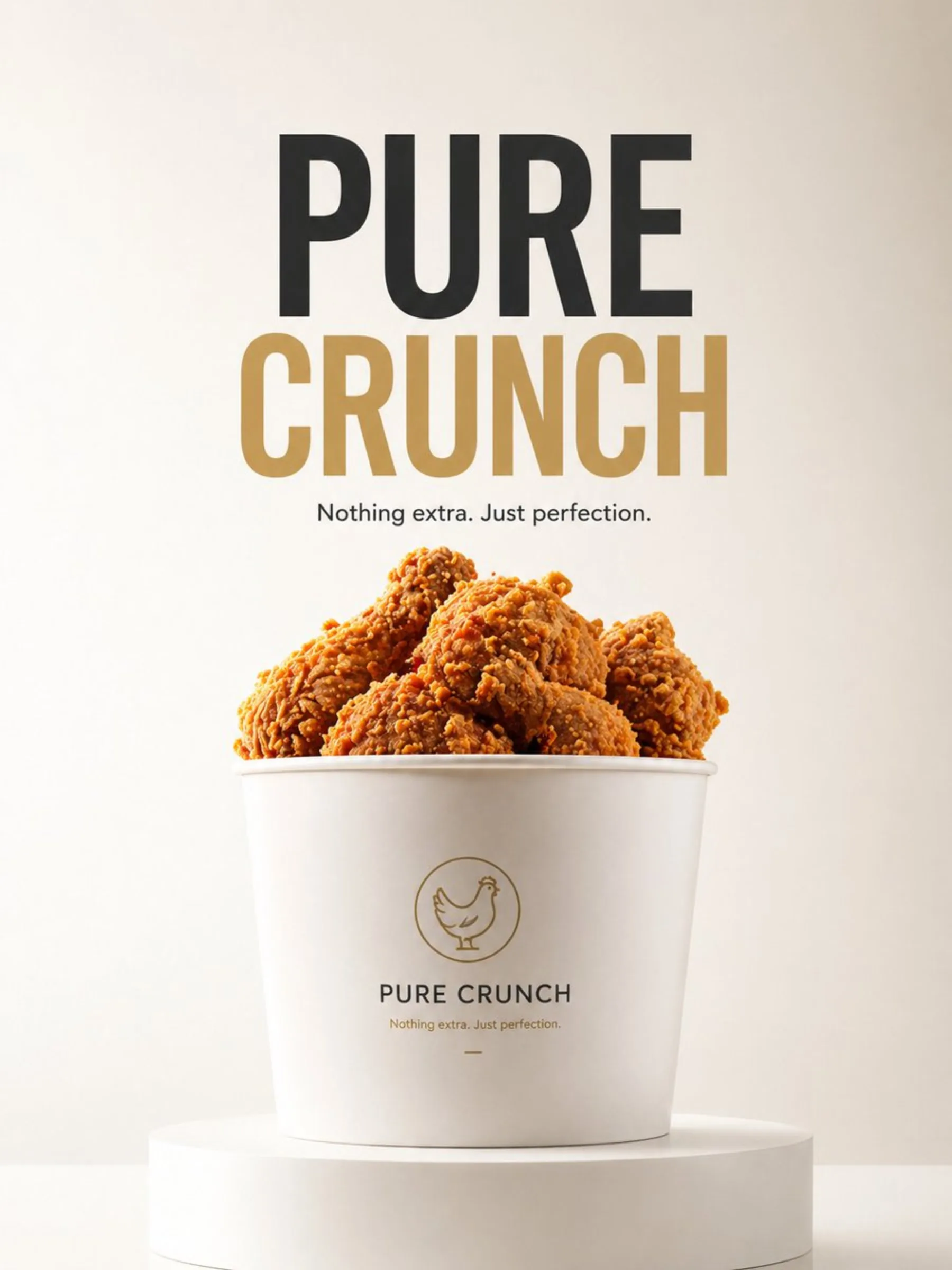
A minimalist product advertisement of a fried chicken bucket placed on a clean
white podium. Background: soft cream-to-white gradient, clean studio lighting.
Typography centered: "PURE CRUNCH" in bold sans-serif. Small text below:
"Nothing extra. Just perfection." Style: ultra clean, editorial minimal,
high-end branding, 8K.
What this shows: When the brief is clean and minimal, GPT Image 2 executes with precision. The typography hierarchy — large headline, smaller tagline — comes out correctly positioned and styled. This is useful for brand mood boards, pitch decks, and concept presentations where clean text integration matters.
Example 3: Fashion Campaign with Complex Composition
For multi-element scenes with text overlays, models, and props:
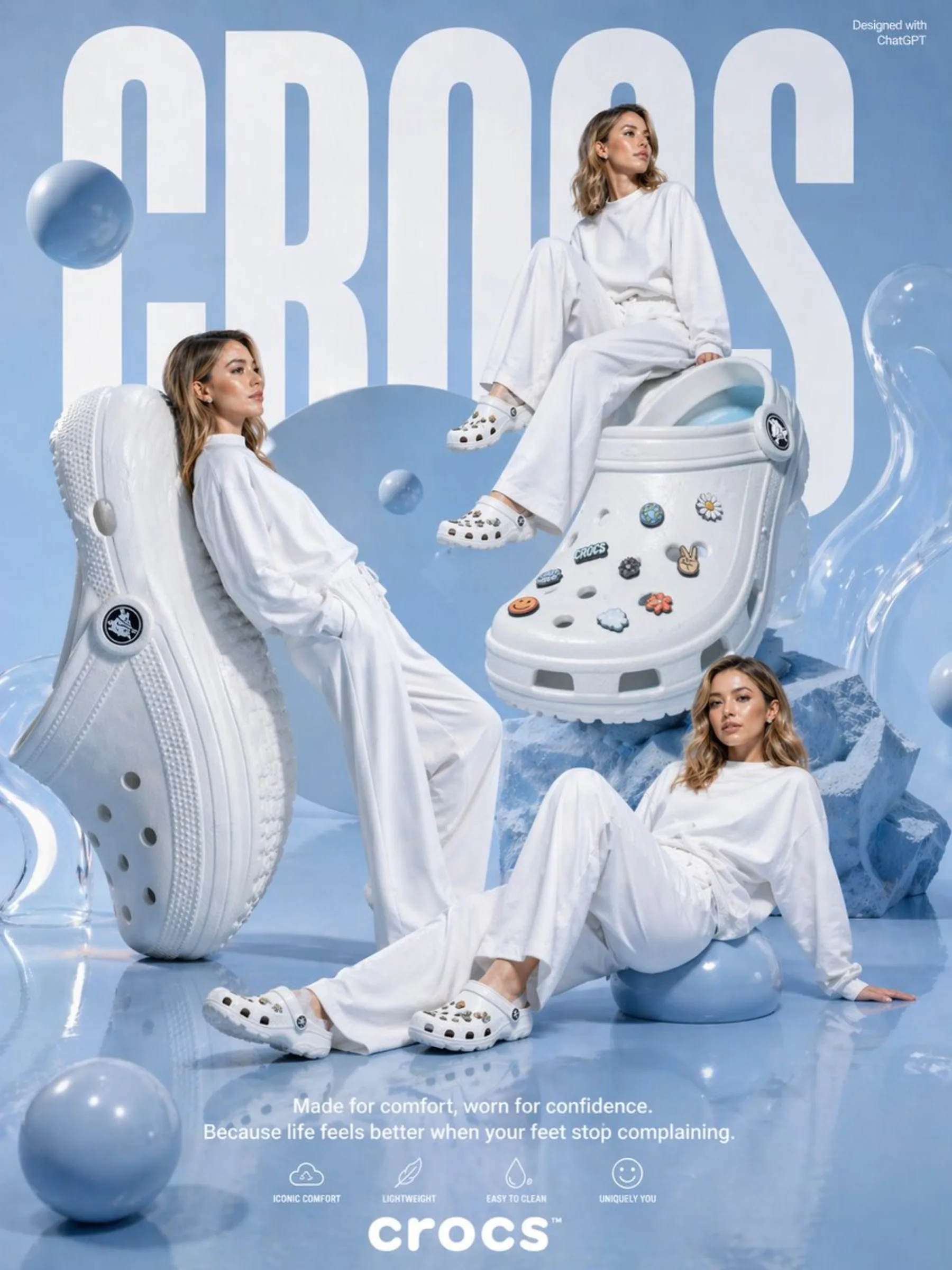
A high-end studio fashion poster in a monochrome pastel blue and white palette,
with a glossy reflective floor and soft sky-blue backdrop. The background features
"CROCS" in gigantic bold white condensed sans-serif letters. Three fashion models
in oversized white clothing, their faces blurred. Giant oversized clog shoes as
hero props. At the bottom: "Made for comfort, worn for confidence." with four
feature icons: "ICONIC COMFORT", "LIGHTWEIGHT", "EASY TO CLEAN", "UNIQUELY YOU".
Premium surreal fashion campaign, clean editorial lighting, soft shadows.
What this shows: Complex compositions with multiple subjects, background text, layered typography, and specific brand elements — all in one generation. This is where GPT Image 2's prompt adherence and text rendering come together.
All three prompts and 140+ more tested examples are available in the GPT Image 2 prompt library, organized by use case with generated output images you can reference.
How to Use GPT Image 2
Getting started is straightforward. Here's the workflow I use:
Step 1: Access via ChatGPT
- Open ChatGPT (web or app)
- Make sure you're on a Plus, Pro, or Team subscription (free tier may have limited access)
- Start a new conversation
Step 2: Describe Your Image
Use natural language to describe what you want. Be specific about:
- The subject and composition
- Colors and style
- Any text you want included
- Dimensions (optional, but helpful)
Example prompt: "Create a vertical banner for a tech conference. Dark blue background with glowing cyan accents. The text 'AI Summit 2026 — Register Now' should be centered in a modern sans-serif font. Add abstract circuit patterns in the background."
Step 3: Review and Refine
- If the result isn't perfect, describe what you'd like changed
- You can ask for multiple variations
- Continue refining until you're satisfied
Step 4: Download
Once you're happy with the result, download the image directly from ChatGPT.
If you want a more streamlined workflow with prompt templates and one-click generation, you can also try GPT Image 2 AI generator through a browser-based interface. Unlike ChatGPT's raw interface, it gives you curated prompt templates organized by use case, instant access to the model without learning prompt engineering, and a dedicated AI image editor for post-generation adjustments — all in one place.
For creators who want a library of pre-optimized prompts and an AI image editor for post-generation touch-ups, pre-optimized image prompts include hundreds of tested prompt templates specifically designed for marketing, social media, and brand content — so you don't have to write prompts from scratch.
GPT Image 2 Pros and Cons
Pros
- Industry-leading text rendering — the best option if you need text in your images
- Conversational editing — iterating is intuitive and fast
- High prompt adherence — follows complex instructions reliably
- Integrated with ChatGPT — no separate tool needed
- Multi-modal understanding — can reference uploaded images and documents
- Commercial use allowed — for Plus, Pro, and Team subscribers
- Good variety of styles — from photorealism to illustration
Cons
- Requires subscription — no free tier for serious use
- Less artistic variety than Midjourney — Midjourney still wins on aesthetic range and stylization
- API pricing can get expensive — for high-volume production
- No advanced control like ControlNet — if you need pose control, depth maps, or precise structural guidance, Stable Diffusion workflows are more flexible
- Resolution limits — output sizes are good but not as flexible as some dedicated tools
- Occasional text errors — though dramatically improved, it's not 100% perfect
GPT Image 2 vs Other AI Image Models
| Feature | GPT Image 2 | Midjourney | DALL-E 3 | Flux | Ideogram |
|---|---|---|---|---|---|
| Text Rendering | ⭐⭐⭐⭐⭐ | ⭐⭐ | ⭐⭐⭐ | ⭐⭐⭐ | ⭐⭐⭐⭐ |
| Artistic Quality | ⭐⭐⭐⭐ | ⭐⭐⭐⭐⭐ | ⭐⭐⭐ | ⭐⭐⭐⭐ | ⭐⭐⭐ |
| Prompt Adherence | ⭐⭐⭐⭐⭐ | ⭐⭐⭐⭐ | ⭐⭐⭐⭐ | ⭐⭐⭐⭐ | ⭐⭐⭐ |
| Multi-turn Editing | ⭐⭐⭐⭐⭐ | ⭐⭐ | ⭐⭐ | ⭐ | ⭐⭐ |
| Ease of Use | ⭐⭐⭐⭐⭐ | ⭐⭐⭐ | ⭐⭐⭐⭐ | ⭐⭐⭐ | ⭐⭐⭐⭐ |
| Style Variety | ⭐⭐⭐⭐ | ⭐⭐⭐⭐⭐ | ⭐⭐⭐ | ⭐⭐⭐ | ⭐⭐⭐ |
| Commercial Rights | ✅ | ✅ (Paid) | ✅ | ✅ | ✅ |
| API Available | ✅ | ❌ | ✅ | ✅ | ✅ |
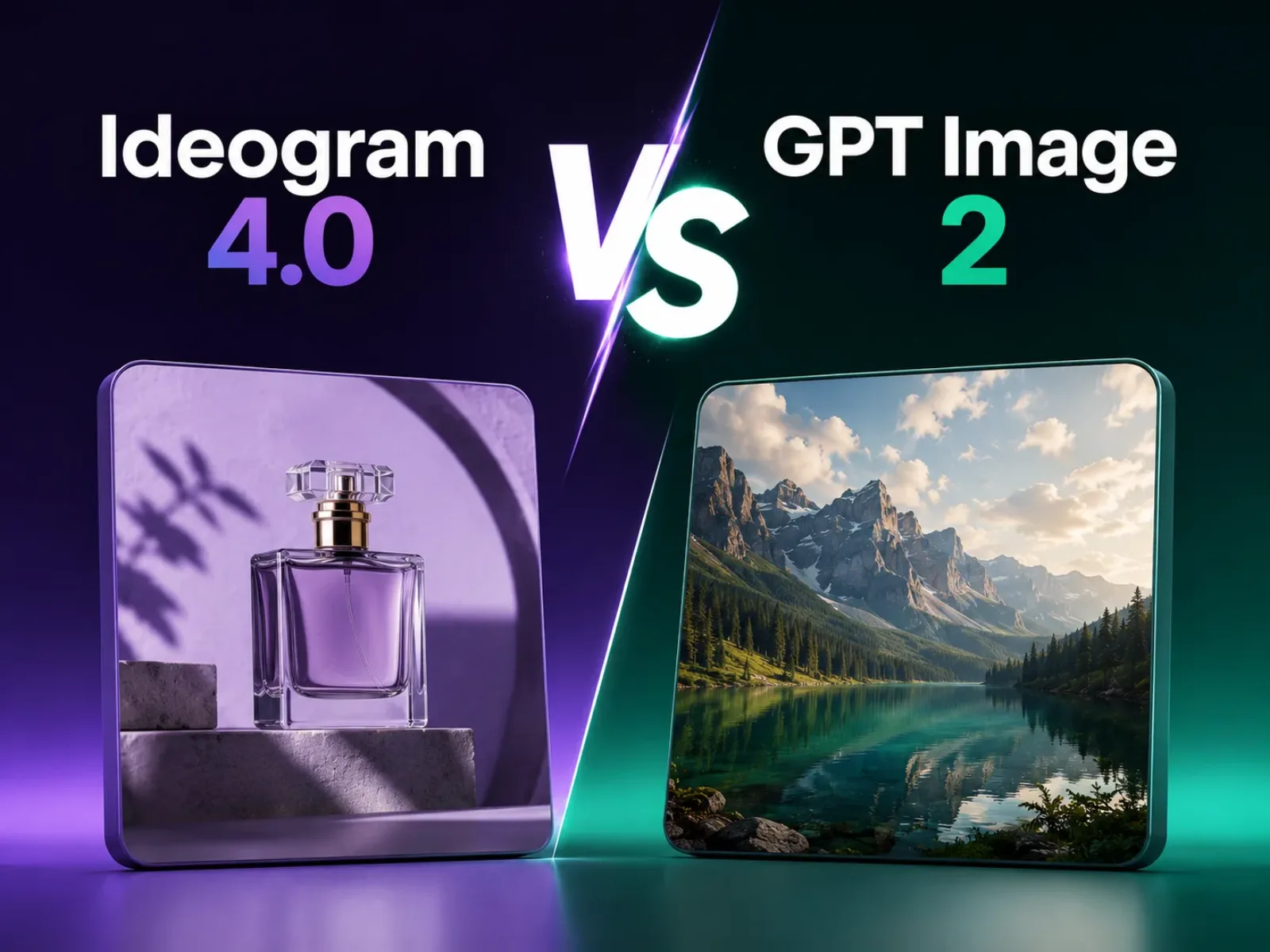
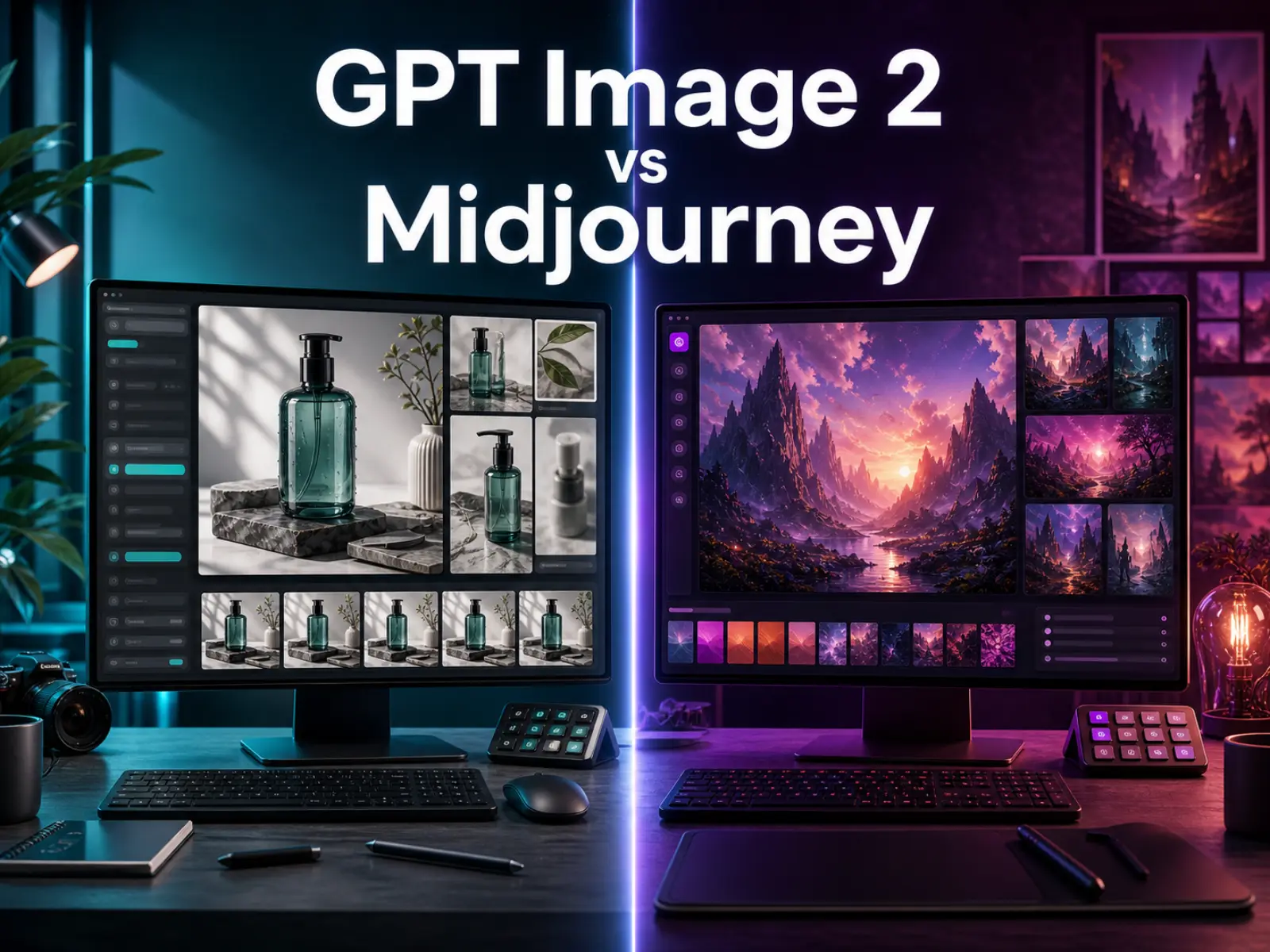
The short version: If you need text in your images — and a huge number of practical use cases do — GPT Image 2 is the best option available right now. If you're doing pure artistic exploration without text, Midjourney still leads on aesthetic range.
Who Should Use GPT Image 2?
Best For
- Marketers creating social media content, ad creatives, and landing page visuals
- Content creators needing thumbnails, blog headers, and video cover images
- E-commerce sellers generating product mockups and promotional graphics
- Solopreneurs and small business owners who need professional-looking visuals without a design team
- Educators and trainers creating illustrated teaching materials
- Writers and authors designing book covers and promotional assets
Not Ideal For
- Professional graphic designers who need precise vector control and typography tools
- Fine artists seeking maximum creative freedom and unique aesthetics
- High-volume production pipelines where per-image cost matters (API pricing adds up)
- Users needing very specific structural controls (pose, depth, composition)
Best Way to Try GPT Image 2
The easiest way to start is through ChatGPT with a Plus subscription. But if you want a more focused experience with pre-optimized prompts, style presets, and a dedicated AI image editor, I recommend checking out GPT Image 2 image generator. It provides a streamlined interface designed specifically for creators who need to generate professional images quickly — with the added advantage of curated prompt templates so you don't need to learn prompt engineering from scratch.
For those looking for a comprehensive prompt library — especially useful if you're new to writing effective image prompts — the curated GPT Image 2 templates collection includes hundreds of tested prompts organized by use case, from product photography to social media to brand assets. Each prompt includes the exact text used and the generated output, so you know what works before you start.
FAQ
What is GPT Image 2?
GPT Image 2 is OpenAI's latest AI image generation model, built into ChatGPT. It offers advanced text rendering, multi-turn editing, and high prompt adherence, making it ideal for creating images with accurate text and complex compositions.
Is GPT Image 2 better than Midjourney?
It depends on what you need. GPT Image 2 is significantly better at text rendering and conversational editing. Midjourney has a wider range of artistic styles and is still the leader for pure aesthetic quality. For practical, text-in-image use cases, GPT Image 2 wins.
How much does GPT Image 2 cost?
GPT Image 2 is available through ChatGPT subscriptions: Plus ($20/month), Pro ($200/month), and Team ($25/user/month). It's also available via OpenAI API with usage-based pricing. The ChatGPT Plus plan gives you enough image generations for most creators.
Can I use GPT Image 2 for commercial projects?
Yes. OpenAI's content policy allows commercial use of images generated through ChatGPT Plus, Pro, and Team subscriptions. Images generated through the API are also available for commercial use under OpenAI's usage terms.
Is GPT Image 2 free?
There is no free tier for GPT Image 2 beyond the limited generations available on ChatGPT's free plan. For serious use, you'll need a paid subscription. If you're looking for a more affordable way to access the model, GPT Image 2 access options offer a streamlined interface and curated prompt templates that let you get results faster.
Does GPT Image 2 support image editing?
Yes. GPT Image 2 supports multi-turn editing — you can upload an image and modify it conversationally, changing colors, adding elements, adjusting composition, and more.
What's the best AI image generator for text in images?
GPT Image 2 is currently the best AI image generator for text rendering. Ideogram is a strong alternative, but GPT Image 2 offers superior integration with conversational editing and better overall prompt understanding.
Can GPT Image 2 generate logos?
It can generate logo concepts and starting points, especially if you include text in the design. However, for professional logo design, you'll still want a human designer for vector output and precise brand alignment.
How do I write good prompts for GPT Image 2?
Be specific about subject, style, composition, colors, and any text you want included. Use natural language rather than keyword-style prompts. Mentioning specific design styles (minimalist, flat vector, photorealistic, etc.) helps the model understand your intent. You can find hundreds of tested GPT Image 2 prompt examples organized by use case.
What are the limitations of GPT Image 2?
The main limitations are: requires a paid subscription, less artistic variety than Midjourney, no advanced structural controls (ControlNet, pose guides), and occasional text rendering errors in complex layouts.
The Bottom Line
GPT Image 2 is a significant step forward for AI image generation, particularly for practical, text-in-image use cases. After testing it extensively for social media graphics, book covers, marketing materials, and content thumbnails, I can confidently say it's the best option available right now for creators who need professional-looking images with accurate text.
The conversational editing workflow alone saves hours compared to the back-and-forth of prompt engineering in other tools. And because it's integrated into ChatGPT, the barrier to entry is minimal — if you already have a ChatGPT subscription, you can start generating high-quality images immediately.
Is it perfect? No. Midjourney still wins on pure artistic range. Flux offers stronger photorealism in some contexts. And power users who need granular control will still prefer Stable Diffusion workflows. But for the vast majority of practical creative tasks — marketing graphics, social media content, book covers, product mockups — GPT Image 2 is the most capable and accessible option in 2026.
If you want to try it with a dedicated interface and curated prompts, head over to GPT Image 2 online and see what it can do for your workflow.